
Over the weekend, I was admiring the finished bathroom in my studio (as I often do when finishing a project ), and I went back to my computer to take a look at the mockup I made of that wall design to see how close the finished room looked to that mockup. It was an interesting comparison. They are not identical, but the mockup gave me a general idea of what the design would look like. I like to mock up designs before doing the actual room because (1) the mockup gives me a roadmap and helps me stay on track to reach my final vision, and (2) the mockup also helps me see where I might want to modify the plan and make modifications to the final design.
I’ve been making models since we moved into this house. He also made them to decorate clients. It was one of my favorite parts of the project. I used to do all my drawings by hand and I loved the whole process of sitting at my desk with my graph paper, ruler, and fine-tipped Sharpie marker in hand and then working out all the details. And although the final look always had some differences, it almost always looked very similar to the drawing or model I started with.
The first mockup I made for our house was back in 2014. I made this drawing to make my plans for the main wall of cabinets.

The final appearance of that wall looked quite similar to the drawing. In fact, in the original kitchen I added the corbels, so the only change I made was removing the area at the top for the storage baskets. That’s one of those things that looked good on paper, but when I started building the kitchen, I realized there really wasn’t enough room in there for the baskets. So I closed off the entire area with a header top and molding on the cabinets. And I also started with glass entry doors, which I had for a few years before switching from glass to metal grilles. And finally, the original center cabinets on the bottom had one door each, but at some point I ordered new doors to make those double doors on the cabinets.
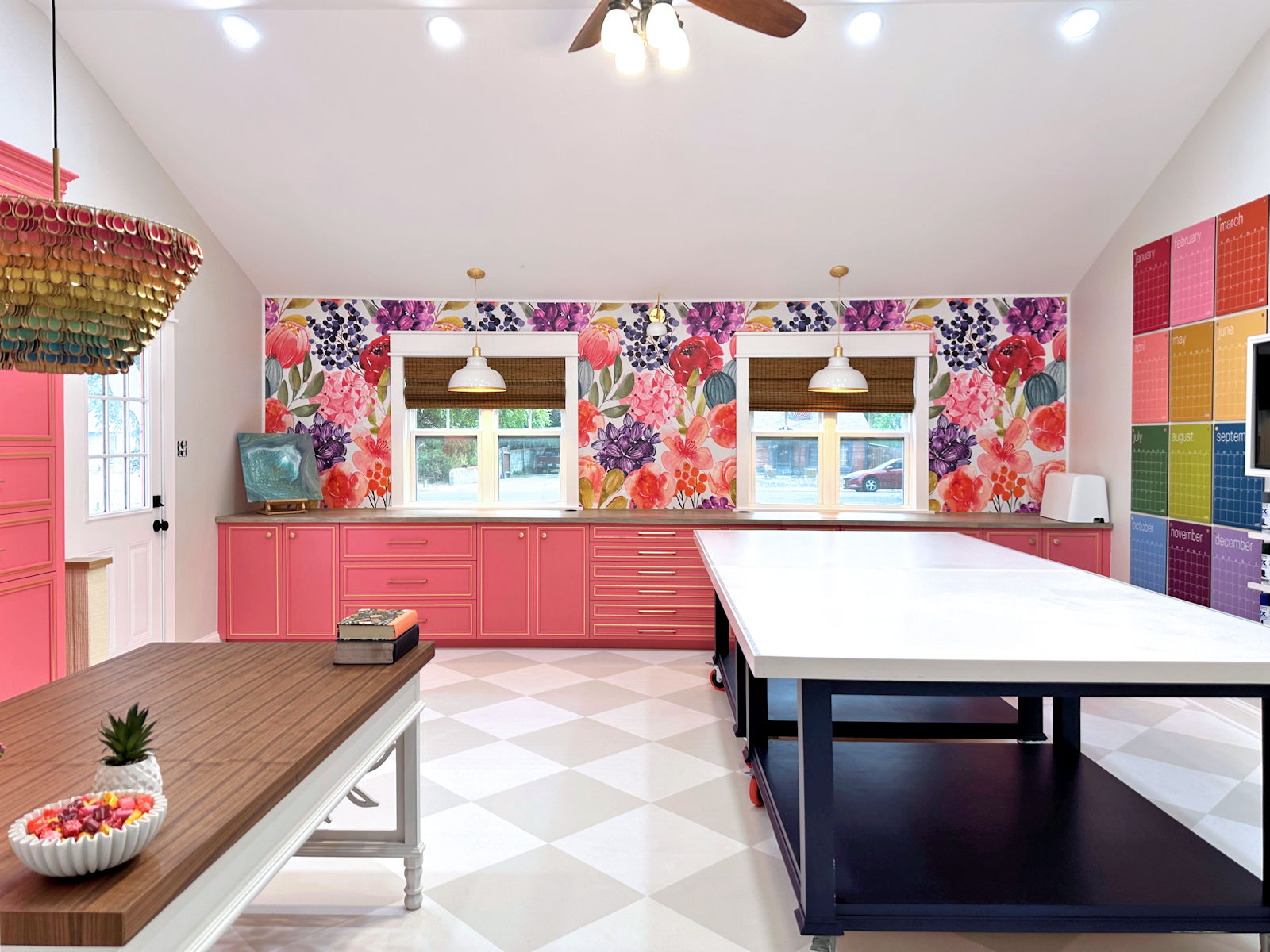
The following drawings I made were for my studio. I can’t find my original drawings, which I made in 2017. But over time, I started modifying the drawings before construction started. I edited the drawings using my photo editing software and before I started building, this is what I had decided on for the studio desk area.
And then I modified that idea a bit by adding the bridge to connect the two side cabinets.
And that final drawing was the one I chose. Here’s how the real thing turned out…

The drawing I did for the mural was the one that changed the most. Again, I can’t find the original drawing I did in 2017, but this is what I had in mind after modifying that design a couple of years later using my photo editing software. I had planned to make the two areas under the windows desk areas with room for chairs. And I had also planned to add overhead storage along the side walls.
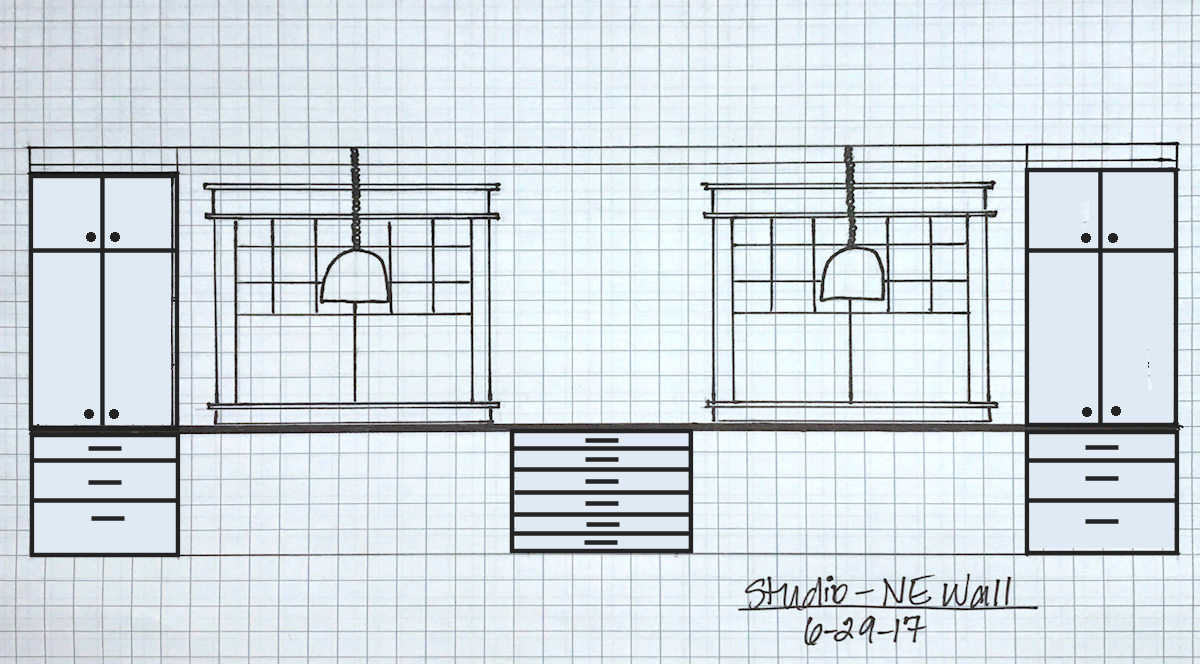
I kept tweaking this design using my photo editing software, and this was the final design I came up with before I started building.
But when I started building this wall, I changed the layout even more and removed the overhead storage because I didn’t want to cover up too much of the mural. I also decided to add some cabinets instead of having drawers along the wall. But overall, it’s pretty close to the final model.
The drawing I did for our bathroom is probably the closest I’ve done to the final result. I made this drawing in 2022.

And that final wall in our bathroom looks almost exactly like the drawing.

When I mocked up my walk-in closet, I was a little limited because I decided to use the Pax wardrobe designer from IKEA. It was very helpful in helping me determine how I wanted each wall to be organized, but that planner has limitations since IKEA only offers specific sizes of Pax closets and with limited options for how to organize each section. So I did the main layout using the IKEA layout tool and then added other things (mirror, wallpaper, dryer, upper cabinet) using my photo editing software.

Since I ended up building the cabinets from scratch, I had no limitations on sizes and organization, so I was able to customize each section quite a bit. I’m so glad I built my own because I was able to add my glass-top jewelry drawer and a custom necklace organizer. But overall, that mockup helped me organize my thoughts and plans for how I wanted the room to be laid out and organized in general.

For our bedroom, I did the entire mockup using my photo editing software and simply copy-pasted each individual element into a new image I created from scratch. I like to mock up this way because it gives a more realistic view of what the room will look like than drawing the design with a Sharpie marker on graph paper. And it’s much easier to make adjustments to the design and swap elements when I change my mind or want to try different ideas.
And since mocking it up that way allows me to use the actual elements I used in the room, like the headboard fabric, rug, curtain fabric, etc., it gives me a much more realistic view of what the room will look like in the end.

But as you know, most of the mockups I’ve done over the last few years have been very quick and easy mockups where I copy and paste an idea onto an actual photo of the room. I did this with the studio bathroom when I was trying out different wall design ideas and vanity colors. These models are never perfect or polished. But since they are quick and easy, I can try lots of different colors and ideas without taking too much time. And that makes them really fun to make. So here’s the one I made with the bathroom wall design and the vanity color I ended up going with. I took an actual photo of the room and then copied and pasted the striped design on top of that photo, along with the mirror I had selected. And then, very quickly, I placed a new vanity color on top of the old color. Again, these quick and easy mockups are never perfect, but they are very useful.

And seeing that mockup also helped me make the decision to rearrange the colors in the wall design so that similar colors were grouped together instead of having them in a random order.

So if you’re redoing a room, and especially a large remodel like a bathroom or kitchen, I recommend finding a way to make drawings or mockups before you start. They are very helpful (and fun!) and can help you make design decisions, spacing issues, etc. before you begin. For large projects like kitchens, there are online sources that are very useful, such as the IKEA kitchen planner. If you’re doing smaller projects, like redecorating a bedroom, you can use any photo editing program that allows you to remove backgrounds and paste layers into a photo. I highly recommend Canva for that. Canva has a great tool that removes backgrounds from photos of items, this is how I removed the background from online photos of items I used in my bedroom mockup. I upload the photo (as an Amazon product image) to Canva, use the background eraser so that only the element remains, and then I copy and paste that element into my mockup, resize it, move it, and place it where I want.
Or if you want to do things the old-fashioned way, buy yourself a pad of graph paper, pencils, and sharpie sharpie markers and let your imagination run wild. But I highly recommend finding a way that works for you so you can “see” your room as a whole before you start. It really helps to have that roadmap before you even pick up a hammer or paintbrush.
Addicted 2 Decorating is where I share my DIY and decorating journey as I remodel and decorate the 1948 upper that my husband Matt and I purchased in 2013. Matt has MS and can’t do physical work, so I do most of the house work myself. You can learn more about me here.


